How to Unclog the X1C Hotend: A Step-by-Step Guide
Learn how to unclog hotend X1C safely with a structured, expert approach. This guide covers tools, techniques like cold pulls and needle clearing, safety, and prevention tips from Unclog Drain.


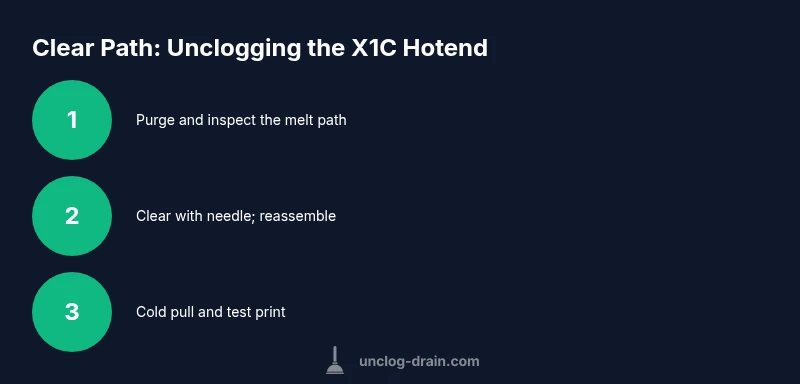
To unclog hotend x1c, power off, heat to your usual printing temperature, and purge. Disassemble the nozzle, clear the blockage with a fine cleaning needle, then reassemble. Do a cold pull with clean filament, and run a test print. If extrusion remains slow, replace the nozzle and inspect the heat break and heater block.
What causes clogs in the X1C hotend
Clogs in the X1C hotend are rarely caused by a single factor. The most common culprits include degraded or moisture-affected filament, burnt or deposited plastic on the nozzle, and heat creep that allows filament to burn near the heat sink. According to Unclog Drain, many clogs start as micro-residues that accumulate over several prints and are invisible until extrusion slows or stops altogether. Filament type and color can also influence how quickly a blockage forms; flexible or high-shrinkage filaments tend to leave behind more debris when cooled. Being aware of these factors helps you catch a clog early, before it escalates into a full blockage. Regular filament storage and mindful retraction settings contribute to long-term reliability and reduced downtime for your X1C printer.
Safety and preparation before starting
Before you touch the hotend, shut down the printer and unplug the power. Let the hotend cool enough to touch safely, then retreat to a work area with good lighting and ventilation. Wear heat-resistant gloves and eye protection when handling hot components or moving parts. Unclog Drain stresses that ensuring proper unplugging and cooling minimizes the risk of burns and electrical shorts. Keep a dedicated, clean workspace to avoid contaminating the hotend with dust or lint. Have all your tools laid out, ready for quick access to reduce the temptation to improvise with unsuitable items.
Understanding hotend anatomy and the X1C design
The X1C hotend consists of several components: the heater block, heater cartridge, thermistor, heat sink, nozzle, and heat break. A clog typically resides in the nozzle or the melt-path near the heater block. Knowing the flow path helps you diagnose whether the issue is a partial clog, a heat creep event, or a mechanical jam. If you observe inconsistent extrusion or over-extrusion, inspect the nozzle tip diameter and the filament path through the melt zone. The X1C’s compact design can trap particles if the filament is poorly stored or if moisture has caused temporary expansion and contraction that leaves behind residue.
Step-by-step diagnosis: is it a clog or a flow issue?
Start by heating the hotend to your standard printing temperature and attempting a small extrusion. If the filament dribbles or stops halfway, there is likely a blockage. Clear signs include under-extrusion, skipped steps in extrusion motors, or a sudden stop in plastic flow. Compare extruded diameter to the nozzle opening; if the filament looks jagged or inconsistent, the clog is likely in the nozzle or melt path. If the nozzle appears clear but extrusion remains weak, the issue may be heat creep or a partially blocked heat sink. This section sets the stage for targeted clearing rather than brute-forcing a blockage.
Cleaning methods explained: cold pulls, purging, and needle clearing
A cold pull can pull out contaminants by capturing them in a cooled filament strand. Purge the hotend by extruding a length of filament at printing temperature to wash the melt-path. For a physical obstruction, a fine cleaning needle or thin wire (0.2–0.4 mm) can clear the orifice without damaging the nozzle. Be gentle to avoid scratching the nozzle seat or damaging the heater block. When you insert the needle, twist slightly to dislodge deposits, then attempt another extrusion to verify openness. Always perform this with the heater off or at a safe temperature according to the step-by-step guidance.
Reassembly, calibration, and test printing
After clearing the blockage, reinstall the nozzle securely and reheat to your usual printing temperature. Calibrate the Z-offset if you replaced the nozzle, then perform a small bench test print with known-good filament. Observe for consistent extrusion and stable layer bonding. If you still notice irregular flow, inspect the heat break and heater cartridge seating, and consider replacing the nozzle with a fresh one of the same or a lower diameter to improve flow. A careful reassembly helps prevent new leaks or backflow that could reintroduce debris.
Prevention strategies to minimize future clogs
Store filament in a dry environment to prevent moisture-induced clogs, and use high-quality filament with consistent diameter. Maintain a consistent extrusion temperature and avoid aggressive retractions that pull in air and moisture. Regularly clean the nozzle and heat sink surfaces, and perform routine cold pulls after a print with unusual extrusion. The combination of clean filament, proper storage, and periodic maintenance reduces the likelihood of recurrence. Unclog Drain’s approach emphasizes proactive maintenance—small, regular actions prevent large downtime.
When to replace the nozzle or hotend assembly
If persistent clogging occurs despite proper clearing, it may be time to replace the nozzle or the entire hotend assembly. Repeated sign of heat creep, warped heater blocks, or thread wear on the nozzle seat indicate that a replacement would provide more reliable extrusion than repeated clearing attempts. Always source compatible parts designed for the X1C model to ensure proper fit and heat transfer. Replacing freonless or worn components early can save downtime and improve print quality in the long run.
Tools & Materials
- Replacement nozzle for X1C (e.g., 0.4 mm)(Stock nozzle for X1C; ensure compatible thread size and heater block fit)
- Fine cleaning needle or thin wire (0.2–0.4 mm)(Gentle tip for clearing the melt path without scratching nozzle)
- Hex/Allen wrenches set (e.g., 1.5 mm, 2.5 mm)(For removing the nozzle and securing the hotend components)
- Isopropyl alcohol (70–90%)(Cleansing agent for nozzle exterior and nozzle seating areas)
- Lint-free cloth or coffee filters(For dry wiping and residue removal)
- Pliers or hemostats(Grip small parts and handle filament carefully)
- Filament for test extrusion(Prefer a known-good filament with stable diameter)
- Safety gloves and eye protection(Heat-resistant gloves and eye protection during disassembly)
- Small clean tray or container(Catch any loose debris or filament fragments)
- Magnetic heatsink spacer (optional)(Helps manage heat flow during cleaning)
- Silicone-safe thermal paste or gasket (if concerned about reseating)(Use only if your hotend requires reseating sealant)
Steps
Estimated time: Estimated total time: 45-75 minutes
- 1
Power down and heat safely
Power off the printer and unplug it. Allow the hotend to cool until you can touch the exterior safely. Preheat to your typical printing temperature to observe the extrusion behavior before disassembly.
Tip: Use the printer’s control panel to monitor temperature and avoid overheating components. - 2
Purge and prepare
Purge a short length of filament to clear the melt path. This reduces the chance of contaminating your clean pull with old material and makes the subsequent clearing steps more effective.
Tip: Have a clean tray ready to catch any filament and debris. - 3
Remove the nozzle and inspect
Carefully unscrew the nozzle using the correct wrench. Visually inspect the nozzle tip for physical damage or obvious blockages. If the orifice appears compromised, replace the nozzle before proceeding.
Tip: Do not apply excessive force; damaged threads can lead to leaks or nozzle misalignment. - 4
Clear the melt path with a needle
Gently insert the cleaning needle into the nozzle from the top and twist slightly to dislodge any deposits. Extract and wipe away residues. Reinsert the nozzle and snug it to the correct torque.
Tip: Never use a metal tool that could scratch the nozzle seat. - 5
Perform a cold pull
Heat to printing temperature, feed filament through, and let it cool while still attached. Pull the filament to extract the softened deposits. Repeat if needed until the filament emerges clean.
Tip: Use a brand-new filament for the pull if possible to maximize cleanliness. - 6
Reassemble and calibrate
Reinstall the nozzle, reattach any heat-sink components, and rehome the axis. Run a calibration print to verify extrusion accuracy and layer height consistency.
Tip: Double-check nozzle seating and resistance during rotation to avoid cross-threading. - 7
Test print and observe
Print a small test object with a known profile. Observe extrusion consistency, surface finish, and any unusual noises. If the issue recurs, consider heat creep checks or a nozzle replacement.
Tip: Keep notes on initial extrusion temps and first-layer adhesion for future reference.
Common Questions
What is the first sign of a clogged hotend on the X1C?
The most common early signs are under-extrusion, inconsistent extrusion, and slowed or stopped filament flow. If you notice these, inspect the nozzle and melt-path for deposits. Quick action can prevent a full blockage.
Look for under-extrusion and inconsistent flow. If you see that, inspect the nozzle area for deposits and act quickly to prevent a complete clog.
Can I unclog without disassembling the hotend?
Sometimes you can clear minor blockages with a cold pull and careful purging. If extrusion remains poor, disassembly offers a safer route to remove stubborn material and inspect the nozzle seat.
Yes, you can sometimes clear minor clogs with a cold pull, but persistent issues may require disassembly.
What tools do I need for a proper cold pull?
You’ll need clean filament, a heat source, needle or wire, and a calm workspace. Ensure you have replacement nozzle on hand in case the pull reveals deeper debris.
Have clean filament and a small needle ready for the cold pull, plus a spare nozzle if needed.
Is it safe to continue printing with a suspected clog?
Continuing to print with a known clog increases wear and risk to the heater block and motor. Stop, assess, and clear the clog before resuming to avoid damage.
No, stop and clear the clog before printing again to avoid damage.
When should I replace the nozzle or hotend?
If repeated clogging occurs despite clearance efforts, or the nozzle shows wear, replace it. A worn hotend can cause poor extrusion and temperature instability.
If clogging keeps returning, replace the nozzle or hotend; worn parts degrade performance.
Can moisture in filament cause clogs?
Yes. Filament with moisture can form steam that deposits residue, leading to clogs. Store filament properly and dry if needed before use.
Filament moisture can contribute to clogs; store filament dry and dry any suspect stock before use.
Watch Video
Key Points
- Identify clog signs early to prevent full blockage.
- Use a controlled sequence: purge, clear, cold pull, test.
- Replace nozzle if clog persists after clearing attempts.
- Prevent clogs with proper filament storage and routine maintenance.