Unclog X1C Extruder: A Practical DIY Guide
Learn to safely unclog an X1C extruder with a practical, step-by-step approach. This guide covers disassembly, cleaning methods, and maintenance to prevent future jams, written for DIY enthusiasts and homeowners using standard tools.


You will learn how to unclog a stubborn X1C extruder, safely disassemble and clean the nozzle and heat break, and run a test print to verify flow. Gather the right tools, solvents, and safety gear before starting. This guide uses practical, non-destructive methods. No specialized laser tools required.
Why unclog x1c extruder matters
According to Unclog Drain, a clogged X1C extruder can derail a print by causing under-extrusion, jams, and filament grinding. The X1C extruder is a compact assembly where the nozzle, heater block, and feed mechanism work together to melt and deposit plastic. When any part slows or blocks, print quality suffers and component wear increases. In addition, repeated clogs can force a printer into failed calibration cycles, wasting filament and time. Understanding how clogs form and how to address them safely helps you keep your printer productive and your workspace cleaner. This section lays the groundwork for a practical unclogging workflow that minimizes risk to both you and your gear.
Safety and prep for extruder unclogging
Safety should come first when working with heated printer components. Power down the machine completely and unplug it before touching any hot end parts. Let the hot end cool for at least 5–10 minutes; this reduces burn risk and prevents accidental plastic smearing. Work in a well-ventilated area when using solvents, and wear eye protection and gloves. Keep screws and small parts organized in a labeled tray to avoid losing them during disassembly. Before you begin, confirm you have a clean work surface, a heat-resistant mat or tray, and a clear plan for reassembly. A calm, methodical approach reduces the chance of damaging delicate thermal components.
Common clog causes in the X1C extruder
Clogs in X1C extruders can arise from a variety of sources, including dried filament residue, stuck debris at the nozzle or heat break, or degraded filament fragments that shed during printing. Improper retraction can pull molten plastic into the hot end, creating a hardened plug. Using low-quality filament, overly aggressive cooling, or frequent cold pulls may also contribute to clogs. Identifying the likely culprit helps tailor your cleaning method, whether you perform a cold pull, a solvent soak, or mechanical clearing. This section highlights typical signs and what they mean for your cleanup strategy.
Tools and materials you’ll need
To unclog an X1C extruder safely, assemble a select toolkit and safe-cleaning supplies. Essential items include safety glasses and nitrile gloves to protect eyes and skin, a small Phillips screwdriver for screws on the hot end, a pair of tweezers or needle-nose pliers for debris removal, and a precision knife for trimming any hardened filament. You’ll also need isopropyl alcohol or acetone for solvent cleaning, lint-free wipes for surfaces, a heat-resistant mat, spare filament for cold pulls, and optional parts like a replacement nozzle or heat-break seal if wear is evident. Have a designated workspace and proper ventilation, especially when solvents are involved. Organizing tools before you begin saves time during the steps.
Step-by-step: disassemble and inspect the hot end
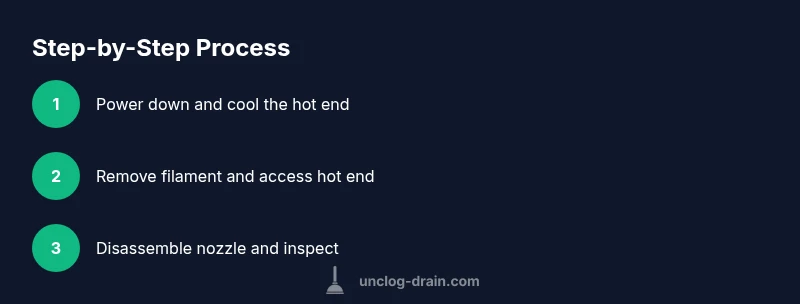
- Power down the printer and unplug the power; wait for the hot end to cool before touching any components. 2) Remove the filament and access the hot end by detaching the cooling shroud or cover as needed. 3) Use the screwdriver to loosen the nozzle retaining nut and carefully pull the nozzle away from the heater block. 4) Visually inspect the heat break, heater block, and nozzle for obvious signs of buildup, discoloration, or damage. 5) Clean the exterior surfaces with isopropyl alcohol and a lint-free wipe, then set parts on a clean, dry surface. Tip: keep all screws sorted by location to simplify reassembly.
Step-by-step: cleaning methods for stubborn clogs
The X1C extruder can be cleaned with several approaches depending on the clog type. A solid starting point is the cold pull technique: heat the nozzle to printing temperature, feed in a fresh filament, and pull it out once hardening occurs. This drags out residues from the nozzle orifice. For stubborn or hardened deposits, a brief solvent soak (where compatible) can dissolve stuck plastic; follow the solvent’s safety guidance and ensure complete drying before reassembly. If residues remain, mechanical clearing with a small brush or dental pick under magnification can help. Always re-check cleanliness under good lighting to confirm a clear path for filament.
Step-by-step: reassembly and test print
- Reinstall the nozzle with proper snugness—hand-tight plus a slight additional turn, then check for leaks. 2) Reconnect the heater block and tighten all mounting screws to factory-specified torque, avoiding overtightening. 3) Replace the cooling fan shroud and ensure wires are routed away from hot areas. 4) Load a known-good filament and perform a cautious test print at a low flow rate to verify smooth extrusion. 5) If extrusion is inconsistent, pause and re-check the nozzle seating and filament path. Pro-tip: keep a spare nozzle on hand to quickly swap if wear is evident.
Troubleshooting: when a clog persists and what to do next
If the nozzle remains clogged after cleaning attempts, assess whether the clog is at the heater block or within the nozzle itself. Persistent jams could indicate a damaged nozzle or heat break, or a filament impurity lodged in the throat. In these cases, replacing the nozzle or heat break may be the most reliable fix. Also review printer settings such as extrusion temperature, print speed, and retraction distance to ensure they aren’t aggravating the issue. Document each step and test results to refine future maintenance.
Maintenance and prevention for future prints
Prevention is better than cure. Establish a routine that includes regular nozzle inspections, periodic cleanings, and using consistent filament brands or lots. Keep the hot end free of surface oils and residues; wipe down components after each job. Consider running a gentle nightly purge during large print jobs to prevent material buildup. Store filament in a dry, clean environment to minimize moisture-related clogs. Lastly, maintain a simple log of cleaning cycles and parts replacement to guide future maintenance decisions.
Tools & Materials
- Safety glasses(ANSI-rated; protects eyes from debris)
- Nitrile gloves(Keep hands clean and protected)
- Small Phillips screwdriver (PH2)(For screws on the hot end)
- Tweezers or needle-nose pliers(For debris removal)
- X-Acto knife or precision blade(Careful with sharp edge)
- Isopropyl alcohol (90%+)(Ventilated area; solvent cleanup)
- Acetone (optional, if compatible with nozzle materials)(Use only if nozzle supports it; avoid on affected plastics)
- Lint-free wipes(For clean surfaces)
- Cold pull filament (PLA or PETG)(Used for pulling out clogs)
- Heat-resistant mat(Protect workspace)
- Replacement nozzle / heat break seal(On worn parts preemptively)
- Soft brush or dental pick(Loosen debris safely)
Steps
Estimated time: 60-120 minutes
- 1
Power down and cool the hot end
Power off the printer and unplug the power. Allow the hot end to cool for 5–10 minutes to avoid burns and reduce the risk of plastic slippage during handling.
Tip: Always verify the hot end is cool before touching any metal parts. - 2
Remove filament and access the hot end
Release and remove any loaded filament. Access the hot end by removing the outer shroud or fan cover as needed, using the screwdriver if screws are present.
Tip: Keep screws in labeled containers to prevent loss. - 3
Disassemble nozzle and inspect
Carefully loosen the nozzle retaining nut and detach the nozzle from the heater block. Inspect for obvious clogs, wear, or damage in the nozzle and heat break.
Tip: Do not force threads; apply steady pressure to avoid cross-threading. - 4
Identify clog type
Look for hardened plastic, discoloration, or visible fragments. Differentiating between a surface buildup and a deeper blockage informs your cleaning approach.
Tip: Use bright light or a magnifier to spot tiny obstructions. - 5
Perform a cold pull
Heat the nozzle to printing temperature, insert fresh filament, then pull it out once the filament cools and hardens. This action drags debris from the nozzle throat.
Tip: Use a clean filament spool and replace as needed. - 6
Soak and manual clearing (if needed)
If deposits persist, soak the nozzle in isopropyl alcohol (or acetone if compatible) for 5–15 minutes. After soaking, use a clean brush or needle to gently remove remaining material.
Tip: Rinse and dry fully before reassembly to prevent contamination. - 7
Reassemble and reseat
Reinstall the nozzle and tighten evenly. Reattach the heater block and cooling components, ensuring wires are not pinched.
Tip: Check nozzle seating with a light test extrusion before a full print. - 8
Test print and observe extrusion
Load filament and print a small calibration object. Observe for consistent flow and surface quality. Stop if you notice gaps or rough extrusion.
Tip: Start with a slow ramp and increase as the path clears.
Common Questions
What is the best method to unclog an X1C extruder?
A combined approach typically works best: start with a cold pull, then disassemble if needed and clean the nozzle. Mechanical clearing can finish stubborn clogs. Always re-test extrusion after each method.
Start with a cold pull, then disassemble if needed and clean the nozzle. Finish with a test print to confirm clearance.
Is it safe to use solvents on the X1C extruder nozzle?
Isopropyl alcohol is generally safe for metal parts and most nozzles. Acetone can damage certain plastics; confirm compatibility with your nozzle material before use.
Isopropyl alcohol is usually safe for metal nozzle parts; avoid acetone unless you know your nozzle can tolerate it.
How long should I wait after cleaning before testing?
Allow the nozzle to cool and the solvent to evaporate fully before testing. A practical window is 5–15 minutes, depending on room temperature and solvent used.
Let it cool and dry for about 5 to 15 minutes before testing.
What are signs that a clog is persistent?
No extrusion, under-extrusion, or inconsistent flow despite cleaning indicates a persistent clog or worn nozzle/heat break. Consider replacing worn parts.
If extrusion remains inconsistent after cleaning, the clog may be persistent and parts may need replacement.
When should I replace the nozzle or heat break?
Replace if wear or damage is evident, or if clog recurs after cleaning despite proper technique. Replacement reduces risk of future jams.
Replace worn parts if clogging recurs after proper cleaning.
Can preventive maintenance help avoid clogs altogether?
Yes. Regularly inspect and clean the nozzle, use quality filament, and perform periodic workflow checks. A small maintenance routine can prevent most clogs.
Yes—regular inspection and a light maintenance routine prevent most clogs.
Watch Video
Key Points
- Identify clog sources early to tailor cleaning.
- Cold pull is a safe first-line unclog method.
- Reassembly and test prints confirm success.
- Routine maintenance reduces future clogs.