How to Unclog an LG Dishwasher: A Complete DIY Guide
Learn how to unclog an LG dishwasher with a detailed, step-by-step guide. From safety checks to filter cleaning and hose inspection, fix buildup and restore drainage fast.


Unclog LG dishwasher drainage by inspecting the path, clearing debris from the filter, hose, and pump, then testing after reassembly. Gather gloves, towels, flashlight, pliers, and a screwdriver before you begin. Follow these steps carefully to fix common clogs without calling a pro.
Overview: Why LG Dishwasher Clogs Happen
LG dishwashers are designed to handle typical kitchen debris, but clogs still occur. According to Unclog Drain, many clogs originate from the dishwasher's own drain path: the filter, spray arms, and drain hose can trap food particles and mineral buildup over time. When these obstructions accumulate, water can't drain properly, causing standing water or incomplete cycles. A secondary factor is improper detergent use or small kitchen items dropped into the wash. Understanding where clogs form helps you target the right fix without unnecessary disassembly.
In addition, Unclog Drain analysis highlights that hard-water deposits can accumulate in the filter housing and pump inlet, reducing flow and creating a bottleneck. The result is slower drainage, frequent trips to reset the cycle, and, in some cases, backflow into the tub. This guide focuses on safe, effective steps you can perform with common household tools to restore normal drainage. While LG models differ slightly by generation, the basic drain architecture is consistent across most front- and pocket-loading dishwashers. With patience and a methodical approach, you can unblock the path and reduce the risk of recurring clogs.
Safety First: Before You Start
Working on a dishwasher involves electrical components and water. Always unplug the machine from the wall outlet before you touch any internal parts. If your kitchen has a hard-wired or built-in connection, switch off the corresponding circuit at the breaker to remove the risk of shock. Shut off the water supply to the dishwasher to avoid leaks when you disconnect hoses. Keep a bucket and towels handy for spills. If you have young children or pets nearby, clear the area and work in a well-lit space. Wearing safety glasses and gloves reduces contact with dirty water and sharp edges. Read LG's service manual for model-specific cautions, and never bypass safety features to rush repairs.
Accessing the Drain Filter and Hose
Begin by removing the kick plate or access panel on the bottom front of the unit. Use a screwdriver to unscrew it and place screws in a small container so they don’t get lost. With the panel removed, you should see the drain filter housing and the intake path. The filter is usually a mesh screen held in a plastic frame; slide it out and rinse under warm water. Remove debris with a soft brush or old toothbrush. Look for build-up around the pump inlet and spray arms. Once the filter is clean, reinsert it to test drainage. If you see a lot of food particles, run the filter under running water until it runs clear. Take a photo of hose connections before removal so you can reassemble correctly. If hoses are loose or kinked, note their positions; you may need to loosen clamps with pliers or screwdriver to straighten them.
Cleaning the Filter, Filter Housing, and Drain Path
After removing the filter, inspect the housing for residue and mineral buildup. Use a soft brush and warm, soapy water to scrub both sides of the filter frame and the interior of the housing. Rinse thoroughly to remove any tiny particles that could be dislodged during the next wash. Inspect the drain path from the filter housing to the hose connection for any visible blockages. If you see a stuck piece of plastic, use the brush or a wooden stick (not metal) to dislodge it. Re-check the pump screen if accessible; a clogged pump screen can mimic a clogged filter by restricting water flow. When finished, dry the area with a clean cloth before reassembling. This prevents residual moisture that could encourage mold growth. Reinsert the filter and ensure the housing is properly sealed to prevent leaks during the next cycle.
Inspecting the Drain Hose, Trap, and Air Gap
Disconnect the drain hose from the sink or garbage disposal carefully to inspect for kinks, clogs, or mineral buildup. Place a bucket under the connection and be prepared for water to spill out. Gently bend, straighten, and run water through the hose to check for restrictions. If you discover a partial clog, you can flush the hose with hot water or a mild vinegar solution, but avoid harsh chemicals. Reconnect the hose, ensuring clamps are tight and the hose is not stretched. Check for the air gap if your setup includes one; a clogged air gap can back up water into the dishwasher. Clean the air gap with a small brush and rinse with clean water. If the hose or air gap appears damaged or cracked, replace them rather than attempting a temporary fix. A well-cleared hose will dramatically improve drainage and reduce future clogs.
Examining the Pump and Impeller for Blockages
Some LG models have a small filter or screen at the pump inlet; access may require removing the pump cover, which is usually secured with screws. Use a flashlight to look for hair, threads, or food debris that can jam the impeller. If you can reach the impeller, carefully rotate it with a non-metal tool to free any obstruction. Do not use force, as the impeller blades are delicate. Clean the area and re-check the seal. If the pump remains jammed or you hear a grinding noise during operation, the pump may require professional service. Reassemble the housing and test a short cycle to verify that the impeller spins freely and that water drains without hesitation.
Reassemble, Run a Test Cycle, and Monitor
With all components clean and dry, reinsert the bottom panel and secure it with screws. Reconnect the power and water supply, then run an empty hot-water cycle to flush the line and confirm draining functionality. Observe the drain path for leaks and listen for unusual noises that might indicate a loose part or misalignment. If you notice standing water after the cycle, re-check the filter, hose clamps, and pump housing for any missed debris or loose connections. Keep towels handy during the test in case you need to catch a spill. If the dishwasher drains properly, you’ve likely resolved the issue; if not, move to the troubleshooting section and consider a professional inspection.
Maintenance and Preventive Habits to Avoid Future Clogs
Regular maintenance is the best defense against recurring clogs. Clean the filter every 1-2 weeks if you run the dishwasher daily, and more often with hard water. Use a mulch-friendly detergent and avoid overloading the unit, which can push debris into the drain line. Run hot water through your kitchen sink before starting the dishwasher if the drain is slow, as this helps prime the hose and prevents backflow. Periodically inspect the spray arms for clogged holes and clean with a pin or small brush to restore water flow. Consider a yearly professional service to inspect the pump, seals, and hose connections, especially if your LG model has undergone high usage. The most effective prevention is a simple routine: keep the filter clean, avoid food remnants in dishes, and use a drain-safe maintenance cycle as recommended by LG. This approach reduces wear and extends the life of your dishwasher.
Troubleshooting Quick Wins and When to Call a Pro
If water still pools after you've cleaned the filter and hoses, the problem may lie deeper in the pump, check valve, or the main sewer drain line. In that case, avoid continuing cycles to prevent overflow and water damage, and seek professional help. The Unclog Drain team recommends documenting symptoms and model information to share with a technician so they can diagnose faster. If your unit leaks around seals or gaskets, a seal replacement might be necessary. For owners comfortable with electrical work, you can inspect the access panel gaskets for wear and replace if needed. However, if you detect burnt smells, sparking, or overheating, stop immediately and call a professional. In most cases, a persistent clog is not due to a single failed part but a series of small issues that accumulate over time. The goal is to restore proper drainage, minimize risk, and extend the life of your appliance.
Tools & Materials
- Safety gloves(Nitrile or rubber, non-linting)
- Safety glasses(Eye protection against splashes)
- Bucket(Large enough to catch spills)
- Absorbent towels or rags(Catch drips and protect floor)
- Flashlight(Bright handheld light for visibility)
- Screwdriver set (Philips & flat-head)(Ph0/PH1 and 3/16 or similar)
- Slip-joint pliers(For hose clamps and clamps)
- Plastic putty knife or non-marring tool(Gently pry without scratching)
- Dish soap and warm water(For cleaning grime)
- Drain snake / auger (optional)(Appliance-safe auger if accessible)
Steps
Estimated time: Total time: 30-60 minutes
- 1
Power down and prep
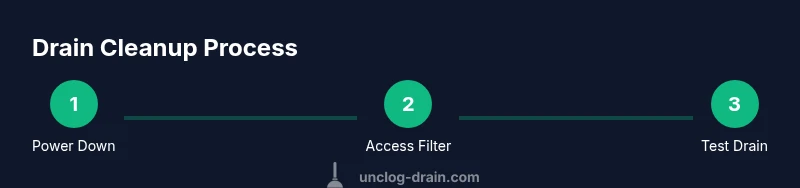
Unplug the dishwasher and shut off the water supply. Remove nearby items from the counter and clear the area to prevent accidents. This initial safety check protects you from electric shock and leaks while you work.
Tip: Always verify the power is off by testing the control panel with a quick press. - 2
Access the lower front panel
Use a screwdriver to remove the bottom kick plate and expose the drain area. Have a bucket ready to catch any residual water when you loosen hoses.
Tip: Keep screws in a labeled container to avoid losing them. - 3
Remove and inspect the drain filter
Slide out the drain filter frame, rinse it under warm water, and scrub away trapped debris. Inspect the filter housing for any buildup that could hinder drainage.
Tip: Do not use harsh brushes that could scratch the plastic. - 4
Check the drain hose connections
Detatch the drain hose from the sink/disposal and inspect for kinks or clogs. Straighten any bends and reattach securely with clamps.
Tip: Take a photo of hose routing before disconnecting to aid reassembly. - 5
Clean the drain path and pump area
With the filter removed, sweep the path from the housing to the hose inlet. Remove any lodged particles gently and verify the pump inlet is clear.
Tip: Use a non-metal tool to avoid penetrating plastic parts. - 6
Inspect the pump and impeller
If accessible, inspect the pump cover and impeller for obstructions. Rotate gently to free a jam, avoiding force that could damage the blades.
Tip: A stuck impeller will prevent drainage even if filters are clean. - 7
Reassemble and test a short cycle
Reinstall the filter, secure all hoses and panels, reconnect power and water, and run a short hot-water cycle with an empty load to confirm drainage works.
Tip: Watch for leaks around seals; tighten clamps if needed. - 8
Evaluate performance and maintain
Observe the next few cycles for signs of improvement. Create a simple maintenance routine: clean the filter weekly and inspect hoses monthly.
Tip: Record model info and the fixes performed for future reference. - 9
Troubleshooting and next steps
If water remains, the issue may be deeper in the pump or sewer line. Do not continue cycles that overflow. Consider professional service if unresolved.
Tip: Document symptoms and photos to speed up diagnosis.
Common Questions
Can I unclog an LG dishwasher without removing the appliance?
Many clogs can be resolved by cleaning the filter and inspecting the drain hose without full disassembly. If the issue persists, panel removal may be necessary to access the pump or more hidden debris.
You can often fix a clog by cleaning the filter and inspecting hoses, but deeper blockages might require removing a panel to access the pump.
Is it safe to use a drain auger in a dishwasher?
Metal augers can damage plastic components inside a dishwasher. If you use an auger, choose an appliance-safe plastic version and follow gentle, slow turns to avoid injury to the device.
Avoid metal augers; use a plastic, appliance-safe auger and turn slowly to prevent damage.
What should I do if water remains after the cycle?
If standing water persists, recheck filters, hoses, and clamps for missed debris or leaks. If the problem continues, there may be a deeper fault with the pump or drain system requiring professional service.
If water stays after a cycle, double-check the hoses and filter again, and call a pro if it keeps happening.
How often should I clean the dishwasher filter?
Clean the filter every 1-2 weeks with heavy use; with lighter use, monthly cleaning is typically sufficient. Regular cleaning prevents debris buildup that causes clogs.
Clean the filter every couple of weeks if you use it often—monthly is fine for light use.
When should I call a professional?
Call a professional if you notice persistent clogs after thorough cleaning, leaks around seals, burning smells, sparking, or unusual noises from the pump. Electrical or structural issues require expert diagnosis.
If clogs persist after cleaning or you sense electrical issues, it's time to call a pro.
Watch Video
Key Points
- Inspect the filter first—clearing debris often restores drainage.
- Check hoses and clamps for kinks and leaks before deep fixes.
- Test with an empty hot cycle to confirm drainage after reassembly.
- Regular maintenance prevents recurring clogs and extends life.
- If unresolved, document symptoms and call a professional.