Garbage Disposal Backed Up: Fast Troubleshooting Guide
An actionable, expert DIY guide to diagnose and fix a garbage disposal backed up. Learn safe power resets, jam clearing, and simple maintenance to prevent future clogs.


Garbage disposal backed up? The most common culprit is a jam or clog from food scraps, grease, or fibrous waste slowing drainage. Start with a quick safety check, reset the circuit, and attempt to clear the drain with a plunger or disposal wrench. According to Unclog Drain, many backups resolve in minutes with these steps, but avoid forcing objects into the unit.
Understanding the Backup Dynamics
When a garbage disposal backs up, it's usually because the sink's drainage cannot keep pace with shredding and flushing. The symptom can range from a sluggish drain to a full backup that pools water in the sink. Understanding how the system works helps you pick safer, faster fixes. A typical disposal connects to a trap and drain line under the sink; when anything blocks the flow or creates a tight jam, wastewater has nowhere to go. In many homes, the issue is not the disposal itself but the connected plumbing or the sewer line. As you troubleshoot, keep in mind that powering off the unit is essential before you touch anything. With patience and a methodical approach, you can restore normal drainage without calling for help.
Common Causes of Garbage Disposal Backups
Backups usually stem from one of several reliable culprits. Food scraps that lump together, grease buildup, or fibrous materials (like celery strings) can wrap around the impeller. A clogged P-trap or pipe just downstream from the disposal can also back everything up. Less common but possible issues include a foreign object wedged inside the unit or a drain vent problem that creates air pressure imbalances. As Unclog Drain notes, addressing the simplest causes first saves time and money. Safety first: never put your hands into a running unit and always disconnect power before inspecting.
Initial Safety Checks You Can Do
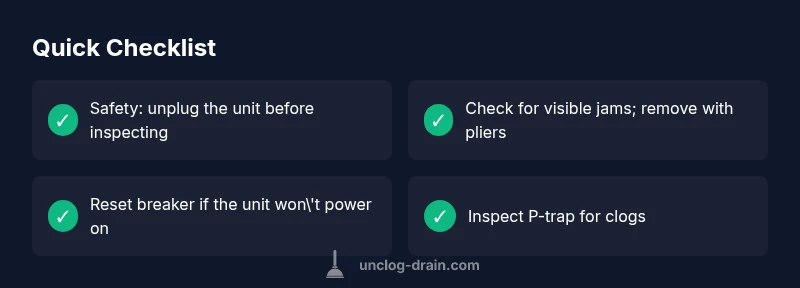
Before you dismantle anything, perform a sequence of safe checks. Disconnect the unit from the power source at the outlet or switch, and verify the circuit hasn’t tripped. Run cold water and turn on the disposal briefly to observe its behavior; listen for grinding or humming sounds that indicate a jam. If you smell burning plastic or observe electrical smells, stop immediately and seek professional help. Remove obvious obstructions with tongs or pliers, never fingers, and keep the disposal dry while you inspect it. These quick checks prevent unnecessary disassembly and reduce the risk of injury.
Diagnostic Signs and What They Mean
A slow or gurgling sink often points to a clogged drain rather than a failed motor. A humming motor with no grinding usually means a jam or a stuck impeller that’s overheating. No sound at all after resetting could indicate a power issue or a defective switch. If you can manually rotate the impeller with a hex key from the bottom port, and it frees with a clear clunk, you’re likely dealing with a jam that can be cleared safely. Persistent leaks, odd noises, or repeated backups after clearing are red flags that may require professional service.
Step-by-Step Fix: Most Likely Cause
The most common fix begins with a jam. Clear all safety steps, confirm power is off, and attempt to rotate the impeller to free the blockage. If you can pull free debris, re-test with cold water to verify normal drainage. In many cases, resetting the breaker, clearing the clog, and re-testing resolves the issue. If the jam persists after multiple attempts, proceed to inspect the P-trap, check the discharge line for kinks, and consider professional inspection to avoid pipe damage.
Troubleshooting If the Disposal Won't Turn On
If the unit refuses to start, begin with basic power checks: confirm the outlet has power, reset the circuit, and test the wall switch. If there’s power but no reaction, attempt to rotate the flywheel with a hex key via the bottom hex socket. A non-responsive unit may indicate an internal motor failure or a faulty overload protector. Do not force the unit; if the breaker trips repeatedly, or you smell burning, turn off power and call a professional.
When to Inspect the P-Trap and Drain Lines
Even a perfect disposal can back up if the downstream pipes are blocked. Place a bucket under the pipe, loosen the slip nuts on the P-trap, and clear any debris. Check the trap for corrosion and replace it if needed. After reassembly, run cold water for several minutes to ensure the line flows freely. If the problem persists, the blockage could be further down the drain line or in the main sewer line, which requires a plumber’s assessment.
Prevention: Keep Your Disposal Clear
Prevention is the best cure. Run cold water before, during, and after disposal operation. Feed waste gradually rather than dumping large batches. Use a disposal guard to minimize fibrous materials wrapping around the impeller. Periodically grinding a small lemon peel or ice cubes can help identify and break up soft residues. Schedule regular checks of the drain line and P-trap, and address slow draining at the first sign of trouble to avoid bigger backups.
What to Do If It Still Backups: When to Call a Pro
If backups persist after following the steps above, or if you notice repeated clogs or leaks, it is time to call a licensed plumber. A pro can check for sewer line issues, misaligned pipes, or a failing disposal motor. Do not delay if you observe gas smells or wet areas beneath the cabinet, as these can indicate dangerous problems. Timely professional intervention prevents water damage and more expensive repairs later.
Steps
Estimated time: 25-40 minutes
- 1
Power off and safety check
Turn off the disposal at the wall switch and unplug the unit from the outlet. Confirm the circuit isn’t tripped and that you have a clear workspace under the sink. This foundational step keeps you safe while you inspect for jams.
Tip: Always double-check the power source before touching any moving parts. - 2
Inspect for obvious jams
Look into the disposal with a flashlight and remove any loose debris that is visible through the opening. Use tongs or pliers to pull out objects; never put your fingers inside. If clear debris is found, remove it gently and re-test.
Tip: Never use a metal tool that could nick the blades; use plastic grabbing tools instead. - 3
Rotate the impeller
Insert a hex wrench into the bottom mount and rotate the impeller back and forth to dislodge the jam. If you feel resistance, work slowly and avoid forcing it. Once it moves freely, remove the wrench and try powering the unit again.
Tip: If the wrench doesn’t fit, stop and proceed with alternate checks or call a professional. - 4
Reset and test
Reset the disposal at the circuit breaker, then plug back in or switch on the outlet. Run cold water and turn on the unit to observe whether draining improves. If it’s still slow, move to check the P-trap and downstream pipe.
Tip: Test with a small batch of ice to help dislodge soft residues during operation. - 5
Inspect P-trap and drain
Place a bucket under the P-trap and loosen the nuts to remove any buildup. Clean the trap thoroughly and reassemble. Run water to confirm smooth flow before returning to normal use.
Tip: Keep a towel handy—the P-trap can spill water when opened. - 6
Re-test and observe
Run the disposal with a steady stream of cold water for several minutes. Listen for smooth grinding with no metallic sounds, and check for leaks around the seals. If the drain remains slow, it may be a downstream issue.
Tip: Document what you checked so you can explain the symptoms to a pro if needed.
Diagnosis: Sink drains slowly or backs up when using garbage disposal
Possible Causes
- highAccumulated food debris jam blocking impeller or discharge pipe
- highHidden drain clog in P-trap or main line
- mediumForeign object wedged in disposal (utensil, bone, etc.)
- lowElectrical issue or reset needed
- lowSeptic or sewer line backup causing backflow
Fixes
- easyReset circuit breaker and press reset on the disposal
- easyUse a plunger on the sink to loosen the clog
- easyManually rotate the disposal with a hex/Allen wrench to free jam
- mediumInspect and clean the P-trap for clogs (disconnect power first)
- hardCall a licensed plumber if jammed or persistent odors
Common Questions
What is the most common cause of a garbage disposal backup?
The most common cause is a jam or clog from food debris that binds to the impeller or blocks the discharge. A clogged downstream pipe can also back up the system.
The most common cause is a jam or clog around the impeller, plus possible downstream pipe blockage.
Should I use chemical drain cleaners for a clogged disposal?
Chemical drain cleaners are not recommended for disposals. They can damage seals, corrode metal parts, and create hazardous fumes if the unit is damaged.
Avoid chemical drain cleaners; they can damage the disposal and pipes.
Can a stuck disposal cause a leak?
A jam can put stress on seals over time and may lead to leaks, especially if the unit is disassembled repeatedly. Inspect seals and replace if needed.
A jam can stress seals and cause leaks if not addressed.
When is it time to call a professional?
If the jam cannot be cleared after several attempts, if you smell gas, or if water leaks persist, contact a licensed plumber to avoid further damage.
If you can't clear the jam after several tries or you smell gas, call a pro.
How can I prevent future backups?
Feed waste slowly with plenty of cold water, avoid fibrous or starchy foods, and use a sink strainer to catch debris before it enters the disposal.
Prevent future backups by feeding waste slowly and using a strainer.
Is it normal for a disposal to hum when starting?
A brief hum can indicate a jam or motor start issue. If the unit hums for more than a few seconds, it likely needs a jam clearance or professional service.
A short hum can be normal, but a long hum needs attention.
Watch Video
Key Points
- Identify common clogs quickly
- Prioritize safety first
- Reset and test before disassembly
- Inspect downstream piping if needed
- Call a pro for persistent issues