How to Unclog Roomba Clean Base: Step-by-Step DIY Guide
Learn to unclog the Roomba Clean Base safely with a detailed, expert-backed approach. Tools, safety checks, and maintenance tips to keep your docking station functioning smoothly, from Unclog Drain.


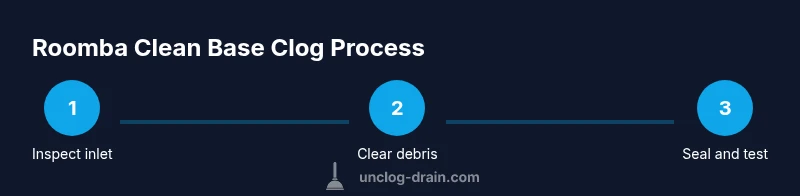
Goal: unclog a Roomba Clean Base by clearing the inlet, removing hair and debris, and reseating seals to restore docking function and charging. You’ll need gloves, a flashlight, a small brush, a screwdriver, and a soft cloth. This quick answer previews the detailed steps, safety checks, and maintenance tips from Unclog Drain.
Understanding the Roomba Clean Base clog and why it happens
A clog in the Roomba Clean Base can prevent dirt disposal from the robot and may interfere with charging if the docking bay is blocked. Hair, dust, carpet fibers, and small debris often accumulate at the inlet and inside the filter housing, creating a stubborn buildup that resists simple brushing. According to Unclog Drain analysis, most blockages originate from everyday household debris that escapes the bin during emptying and gets caught in the inlet labyrinth. Recognizing where debris tends to accumulate—such as the inlet door, filter housing, and the bag area—helps you target your cleanup efficiently. This section explains how the Clean Base differs from a standard bin and why clog-clearing must address both the inlet and the filter path for a reliable fix.
Safety, prep, and planning for unclogging
Before you touch any parts, power down all equipment. Unclip the Roomba from the Clean Base and unplug the base itself if possible, then confirm there are no exposed electrical contacts. Gather your tools in a clear workspace and lay down towels to catch dust. Safety notes: avoid using water or cleaners on electrical components, and never disassemble sealed electronics beyond the manufacturer’s access points. A well-lit area with a mirror or phone flashlight helps you inspect tight crevices. As you prepare, review the list of essential tools—gloves, flashlight, small brush, and a screwdriver—to ensure you’re ready to proceed without multiple trips.
Visual inspection: locate the blockage and assess components
Start by opening the Clean Base access panel and inspecting the inlet path, the bag compartment, and any seals or gaskets around the door. Hair wraps around the inlet, dust clogs the filter, and small debris can lodge in corners near the docking contacts. Use a flashlight to highlight hidden buildup behind the inlet grill and inside the bag area. If you notice a torn seal or warped gasket, this is a sign the unit needs reseating or replacement parts. Document any observed damage with a quick photo to guide reassembly and to inform maintenance decisions.
Safe removal and clearance: debris removal without damage
Gently remove visible blockages using a small brush and tweezers where appropriate. Work slowly to avoid tearing the filter or bending delicate components. Hair tangles often resist a single pass, so repeat brushing from different angles. For stubborn debris, use the bristles to coax material outward rather than pulling forcefully. If you need to reach deeper, temporarily detach the base panel as described in the user manual and inspect the internal channels. Remember to keep small parts and screws organized to prevent misplacement during reassembly.
Reassembly and system check: seals, alignment, and test run
Re-seat the filter housing and inlet door seals firmly, ensuring they click into place and sit flush with the enclosure. Reattach any panels you removed and return the Clean Base to its docking position. Before testing with the robot, wipe down the exterior and the interior sealing surfaces to remove any remaining dust. Run a short test cycle with the Roomba docked to confirm it accepts dirt disposal and that there are no unusual noises or signs of leakage. If the model supports it, monitor the first full cycle to ensure the bin empties correctly into the disposal bag.
Maintenance tips to prevent future clogs
To keep the Clean Base functioning smoothly, perform a quick weekly check during heavy cleaning seasons and a deeper monthly inspection when pets or long hair are present. Replace or wash filters according to the manufacturer’s schedule, clean the inlet grill, and inspect seals for wear. Keeping the docking area clear of loose debris and hair reduces the odds of recurring clogs. As a reminder, Unclog Drain recommends documenting every maintenance session for future reference and to track when components were last serviced.
When to seek professional help and quick troubleshooting steps
If you still experience disposal issues after a thorough cleaning, consult the Roomba user manual for model-specific guidance or contact the manufacturer’s support. Persistent clogs could indicate a faulty seal, a damaged inlet path, or a failing motor in the Clean Base. In such cases, note the symptoms, the steps you performed, and any error codes seen during operation. This information helps technicians diagnose the root cause faster and can shorten downtime.
Tools & Materials
- gloves (nitrile or rubber)(Protect hands; choose a pair with good grip)
- flashlight(Bright, focused light for tight spaces)
- small brush or toothbrush(Hair and dust removal without abrasion)
- tweezers or needle-nose pliers(Grasp small debris safely)
- screwdriver (Phillips or Torx as needed)(Access hidden screws or panels)
- soft microfiber cloth(Wipe surfaces and dry components)
- container or tray for debris(Keep waste organized during cleanup)
Steps
Estimated time: 30-45 minutes
- 1
Power down and unplug
Safely disengage the Roomba from the Clean Base and unplug the dock if possible. This prevents accidental operation and reduces shock risk while you inspect the inlet and seals. Keep your work area dry and organized.
Tip: Always start with safety; a dry workspace minimizes electrical hazards. - 2
Detach the base from the dock and access the inlet
Gently remove the Clean Base from the charging dock and open the inlet panel to expose the path for debris. Use the flashlight to identify visible blockages near the inlet grill and inside the bag chamber.
Tip: Take note of any screws or clips; keep them in a labeled container to simplify reassembly. - 3
Clear visible debris from the inlet
Using the brush and tweezers, remove hair clumps and dust from the inlet, grill, and surrounding seals. Avoid yanking hard on fibers to prevent damage to seals or the plastic housing.
Tip: Work from different angles and pull hair away with gentle, controlled strokes. - 4
Inspect and reseat seals and gaskets
Check the door seals and gaskets for cracks or deformation. If you find wear, replace or reseat them so they sit flush against the enclosure. This reduces future air leaks and clog risk.
Tip: A misaligned seal can re-catch debris; ensure it sits evenly without gaps. - 5
Reassemble the Clean Base
Carefully reattach any panels or screws you removed, then reinsert the bin or bag area as applicable. Wipe down the exterior and seals to remove dust that could reflow during use.
Tip: Hand-tighten screws; overtightening can warp panels and hinder fit. - 6
Reconnect and run a test cycle
Dock the Clean Base back and reconnect the Roomba. Run a short test cycle to verify dirt disposal works and the base accepts power without unusual sounds or leaks.
Tip: Observe the first cycle closely and be ready to pause if you notice anything unusual. - 7
Evaluate results and plan maintenance
If results are not satisfactory, recheck the inlet path and seals, then consider replacement parts or professional service. Document what you did and when for future reference.
Tip: Set a monthly maintenance reminder during peak use to prevent future clogs.
Common Questions
What are the common causes of a Roomba Clean Base clog?
Hair, dust, and small debris are typical culprits that block the inlet and filters. Regular cleaning of the inlet grill and bag area reduces recurring clogs and keeps the base operating smoothly.
Hair and dust buildup around the inlet is usually the culprit; regular cleaning helps prevent future jams.
Is it safe to use water to clear debris from the Clean Base?
No. Water can damage electrical components inside the Clean Base. Use dry tools and a brush to clear debris instead.
Water and electronics don’t mix here—use dry tools only.
Do I need to replace the Clean Base filter after unclogging?
If the filter is visibly dirty or damaged, replace it. If it's still in good condition, a careful wash following the manufacturer's guidelines may be acceptable. Always ensure the unit dries completely before reuse.
Check the filter; replace if dirty or damaged, otherwise clean and dry before reusing.
What if the clog recurs after reassembly?
Reinspect the inlet and seals for signs of wear or misalignment. Hair can rewrap around the inlet in certain configurations, so ensure the path is clear and that seals sit properly.
If it keeps clogging, double-check seals and the inlet for hair wraps.
Can I perform this without removing the docking station?
Accessing the inlet usually requires detaching the Clean Base from the dock to reach all pathways. If you skip this, debris might remain hidden.
It's safer to detach the base to access the full inlet efficiently.
How often should I inspect the Clean Base for clogs?
During heavy-use periods or shedding seasons, inspect monthly. In quieter times, quarterly checks are usually sufficient.
Check it monthly during peak shedding times, otherwise every few months.
Watch Video
Key Points
- Inspect the inlet first to remove most blockages
- Power down before disassembly to stay safe
- Check seals and gaskets for proper seating
- Test after reassembly to confirm disposal and charging
- Schedule regular maintenance to prevent future clogs